 01
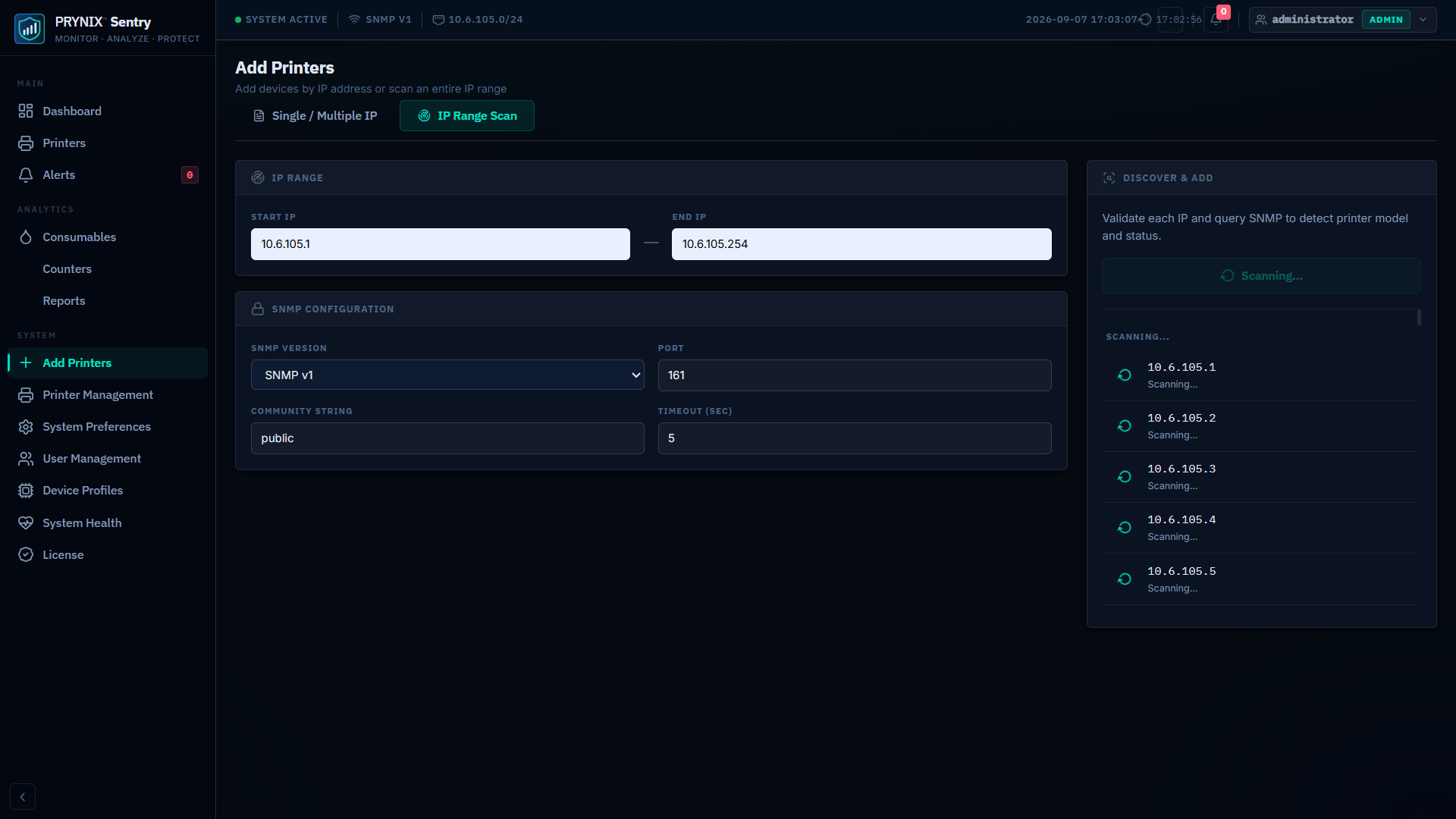
01Step 01
Connect Your Printers
Add devices by IP address or discover SNMP-capable printers across your network.
Monitor printer health, usage, consumables, and alerts across your environment — from one on-premise platform.
Book a demo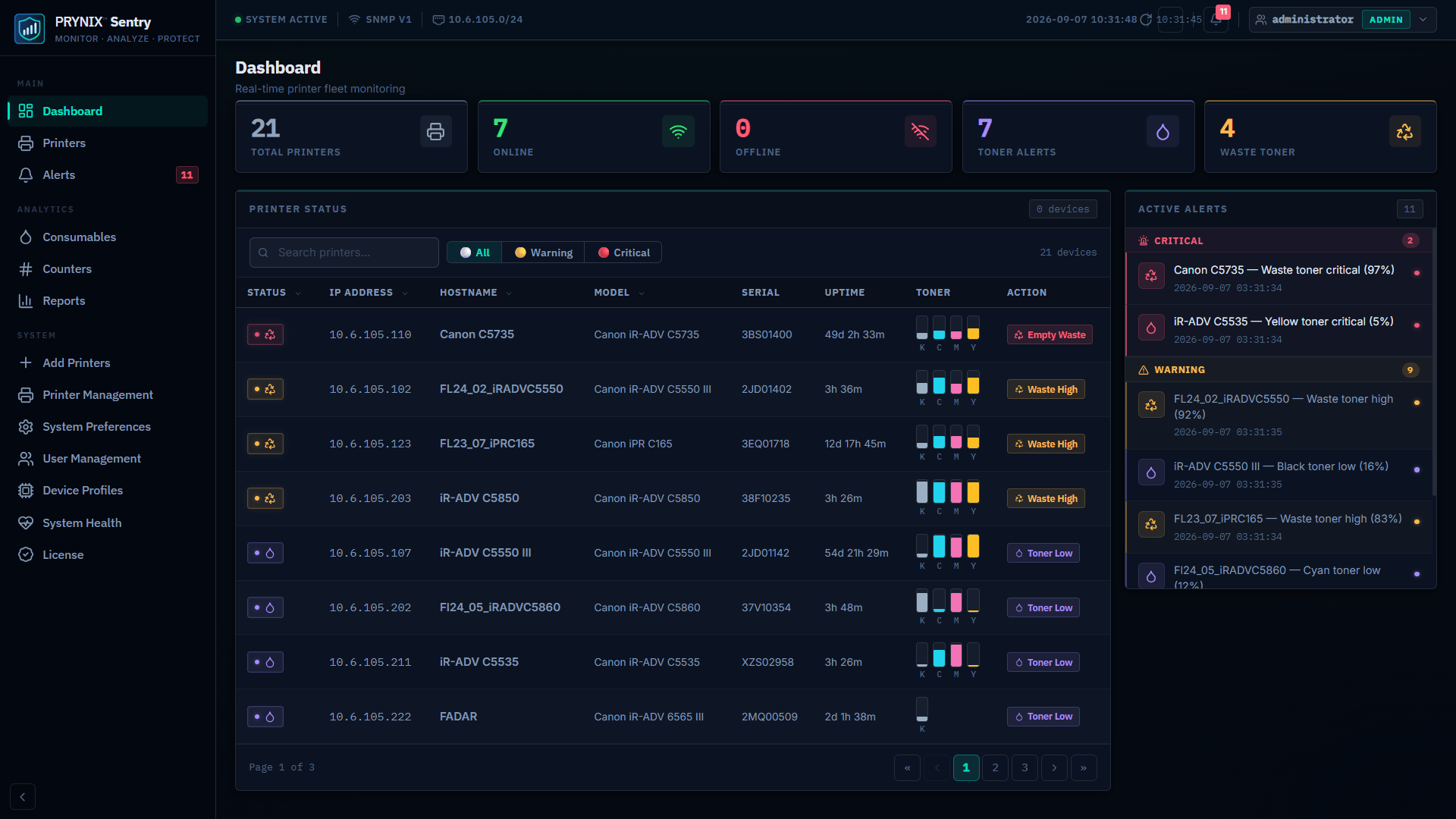
Set up Sentry once, then let it continuously monitor your fleet, notify the right team, and turn device data into operational decisions.
01Add devices by IP address or discover SNMP-capable printers across your network.
02Sentry continuously checks device health, usage, consumables, and status on your schedule.
 03
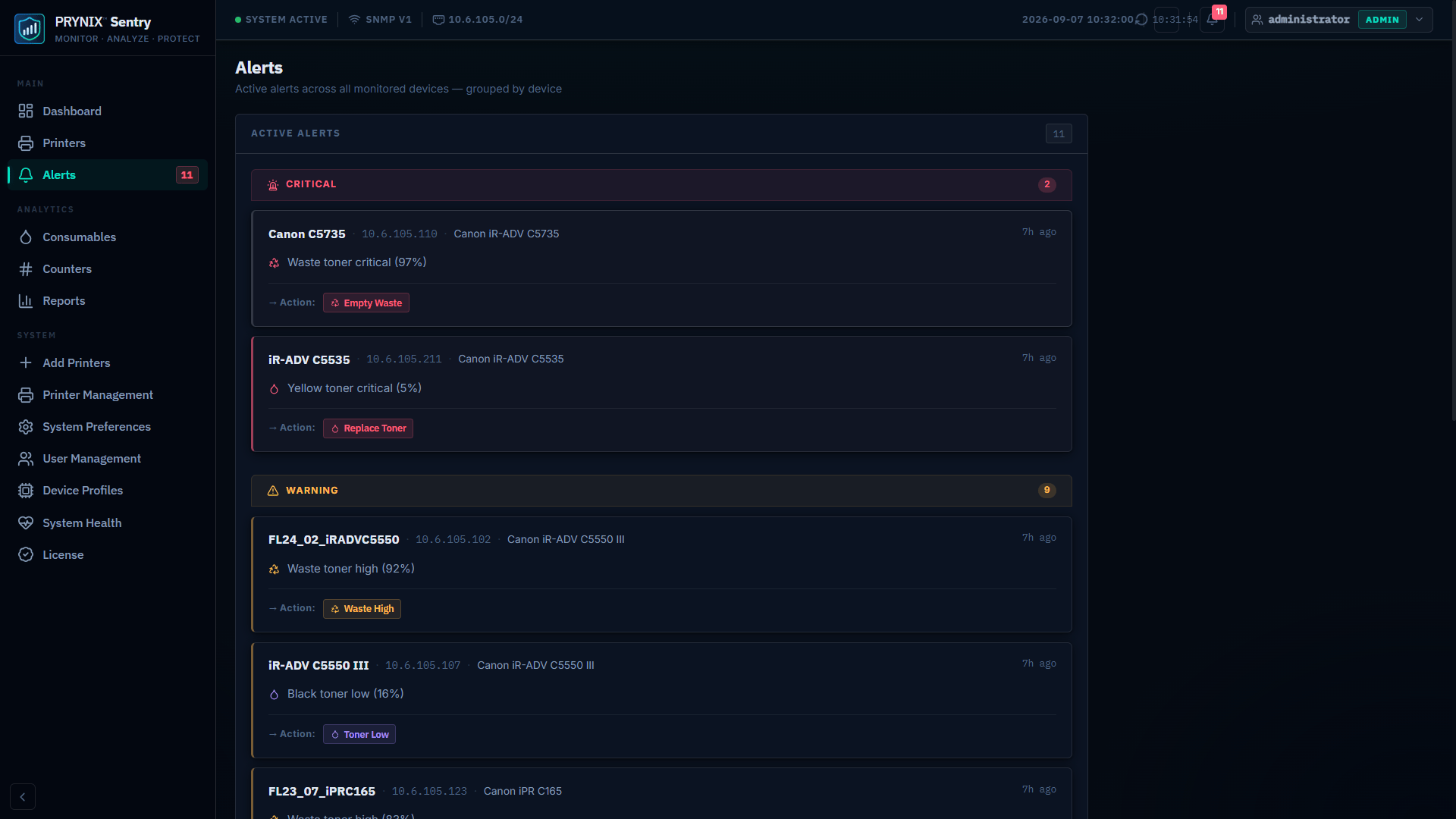
03Route offline, low-toner, and device-error alerts to the right team by email or Microsoft Teams.
 04
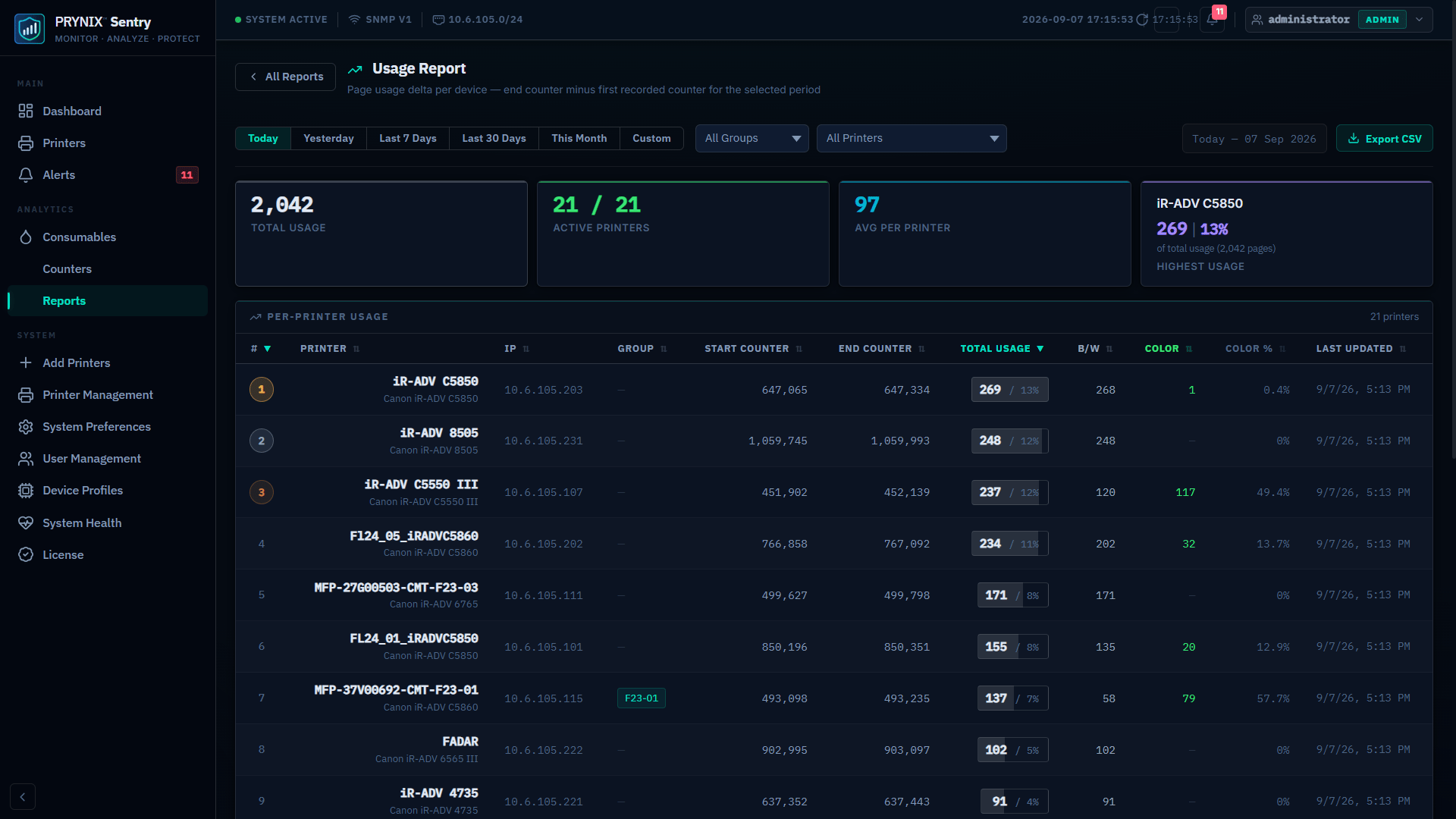
04Turn counters, usage, and alert history into better billing, planning, and service decisions.
Get a unified view of every printer in your organisation. PRYNIX Sentry polls devices via SNMP and surfaces status, health, consumables, and telemetry in one place.
Turn scheduled counter collection into useful reporting for billing, capacity planning, and operational decisions.
Route the right alert to the right team, quickly. Email notifications and Microsoft Teams messages help your helpdesk respond before issues affect users.
Navigate through each section of the PRYNIX Sentry interface.
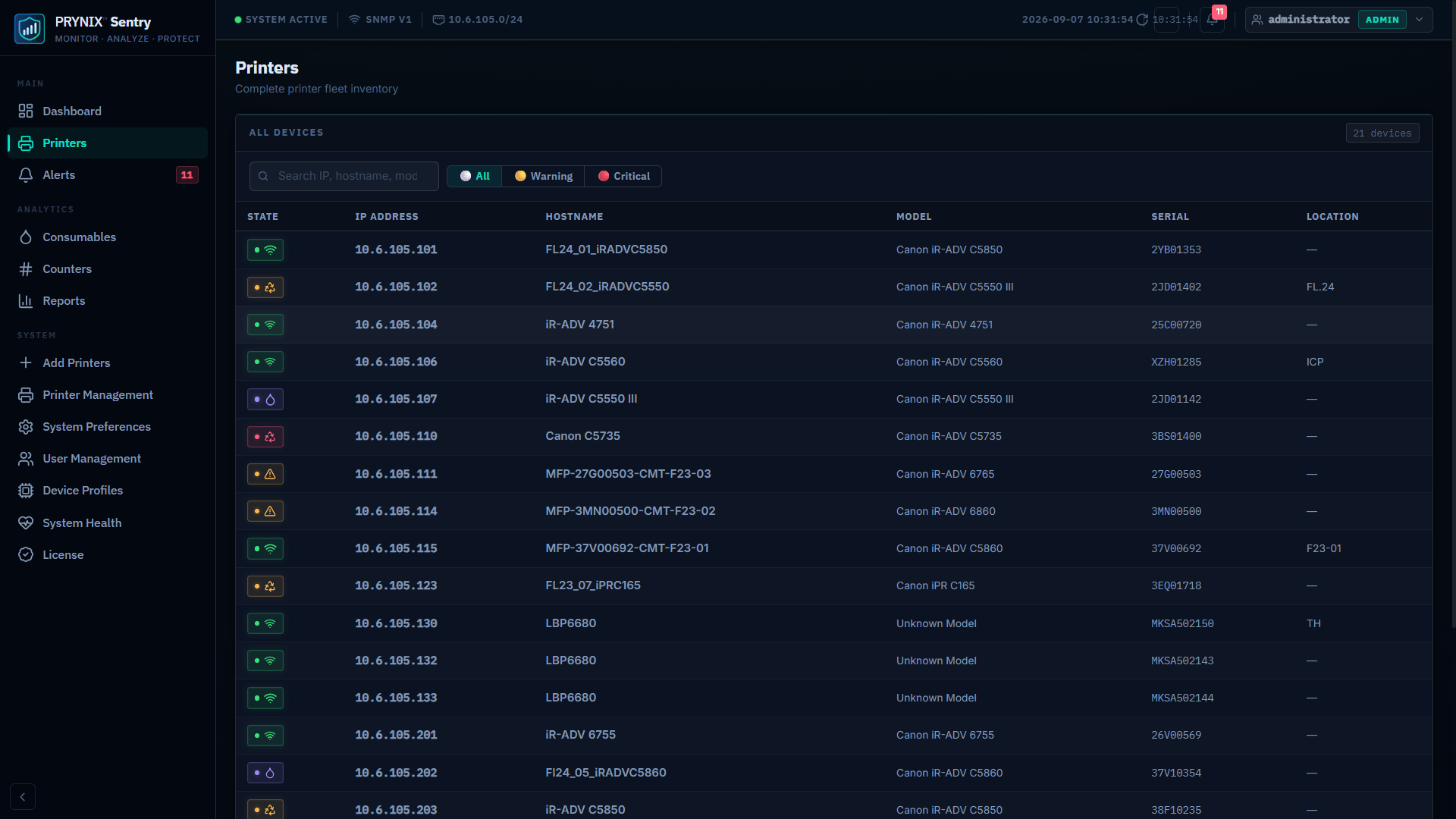
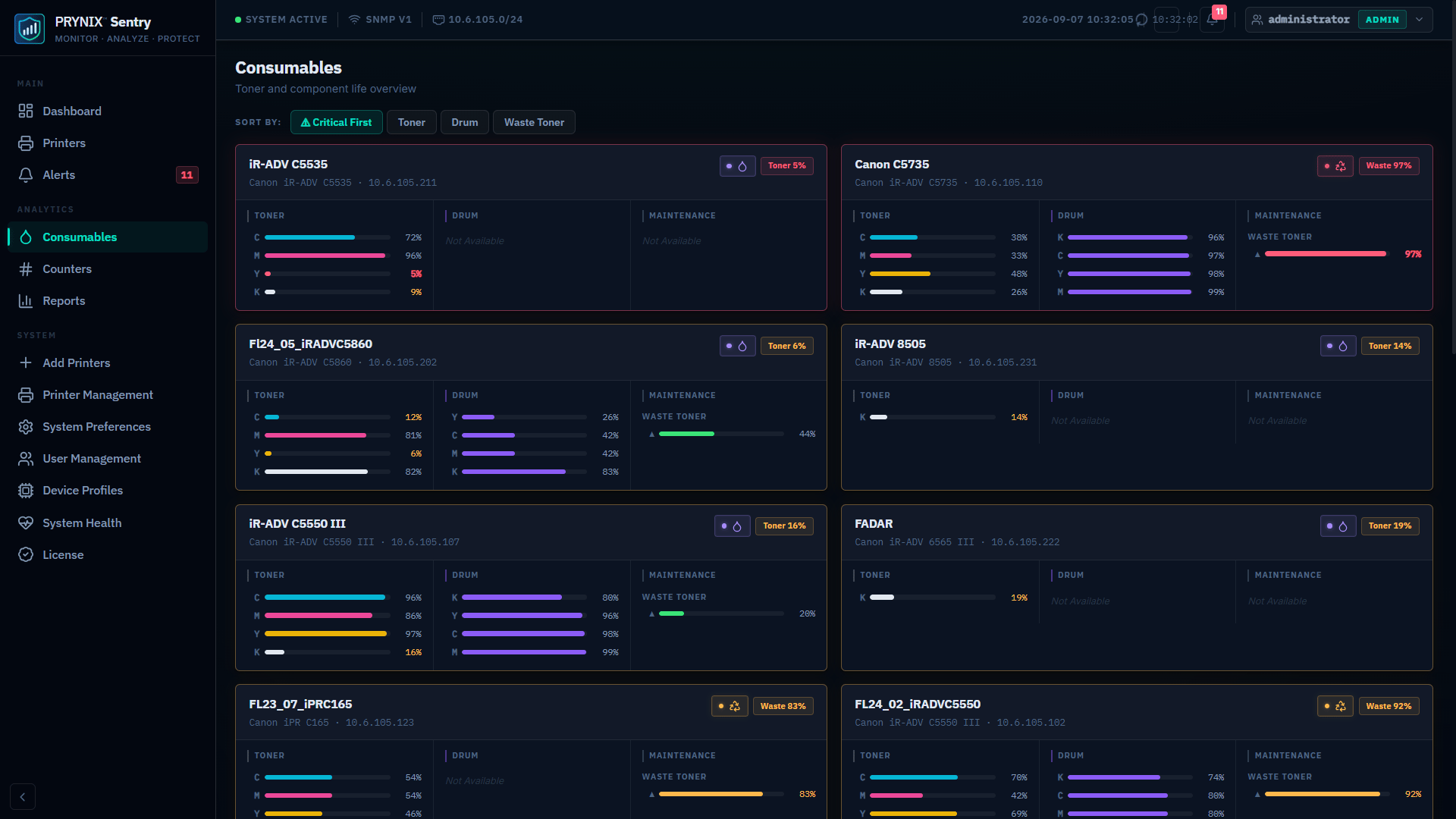
One-time license fee. No subscriptions, no hidden costs. Scale up as your fleet grows.
Forever free
Small teams starting with fleet visibility
Start monitoring at no cost
One-time license
Small offices needing reports and notifications
What you gain over Community
One-time license
IT teams that need proactive fleet control
What you gain over Starter
One-time license
Multi-team or multi-site print operations
What you gain over Professional
One-time license
Large or specialised enterprise deployments
What you gain over Enterprise
* Paid one-time licenses include 1 year of updates & support. Year 2 onwards: 15% Annual Maintenance fee.
Need help choosing a plan? Talk to PRYNIX about your fleet and requirements.
Compare plans by what you gain
Each plan card shows the new capacity and capabilities added when you move up from the previous plan.
Now that you have selected a tier, use these recommendations to prepare a dedicated on-premise server for PRYNIX Sentry.
Recommendations assume a dedicated Windows server. Actual requirements can vary with polling intervals, retained history, concurrent users, and reporting activity.
Deploy Sentry in your Windows environment and monitor SNMP-enabled devices without relying on a public-cloud workflow. Configure polling and alerting to suit your operation.
No. Sentry is designed for on-premise deployment and does not require a cloud account.
The Sentry trial is free for 14 days and does not require a credit card.
Sentry monitors SNMP-capable printers and supports SNMP v1, v2c, and v3.
Paid plans are one-time licenses based on the device and user limits shown in the pricing table.
Paid licenses include one year of updates and support. Annual maintenance applies from year two.
Yes. Contact PRYNIX to discuss your fleet size, reporting, alerting, and deployment requirements.
Get a live demonstration tailored to your print fleet size and requirements.