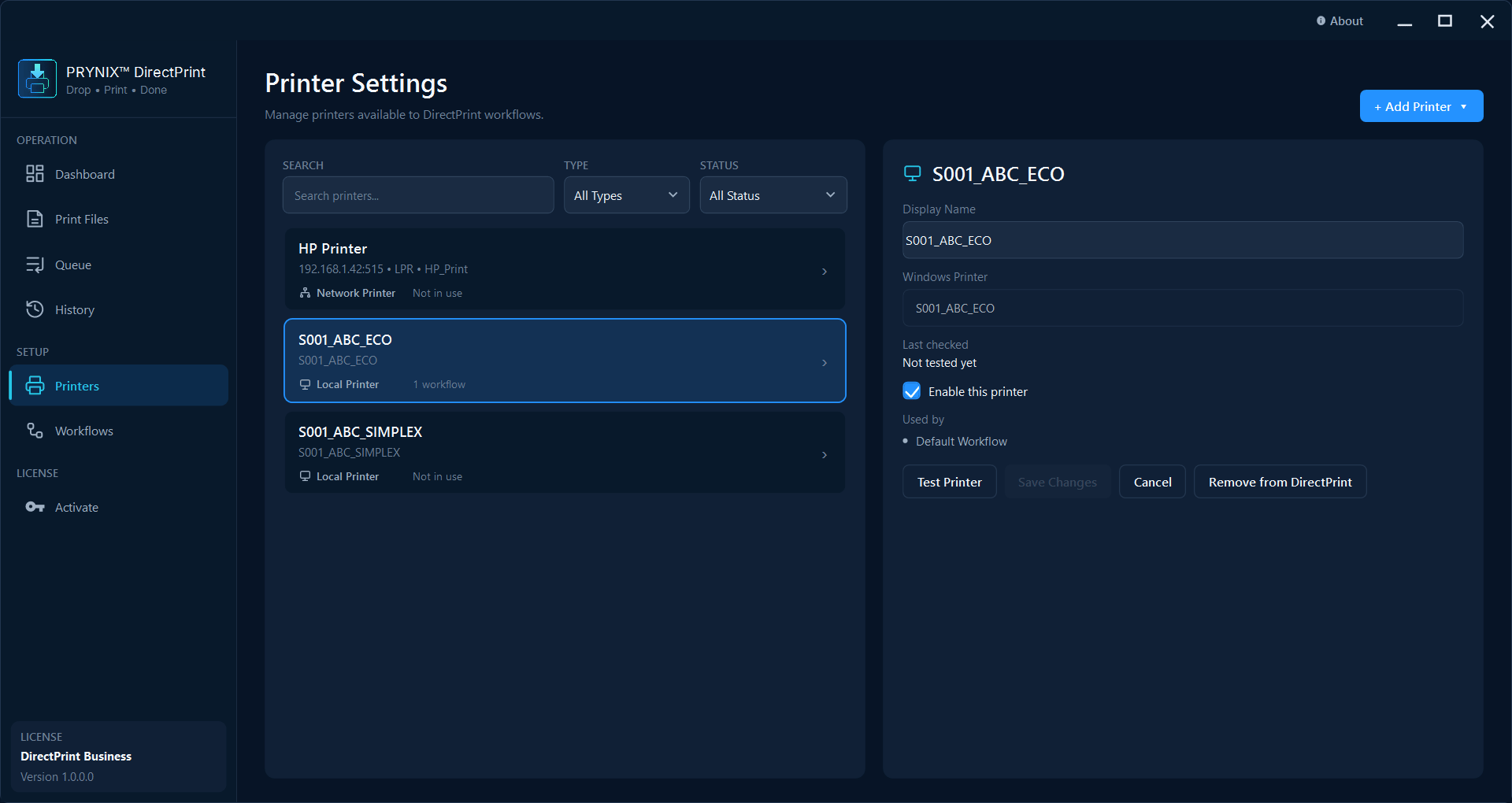
01 · Connect
Make every printer available.
Add, test, and manage local or network destinations before they become part of an automated route.
PRYNIX DirectPrint
Set up your workflow once. DirectPrint watches your folder, sends PDFs to the right printer automatically, and keeps every print job visible from start to finish.
Watch → queue → print
from a designated folder
No driver installation
print by IP via RAW or LPR
Job history
with searchable results
Simple by design
Set up your printer and hot folder once, then let DirectPrint handle the everyday flow.
Place supported documents in a watched hot folder, or add files directly when you need a one-off job.
DirectPrint queues and sends each job to the selected local or network printer automatically.
Track every result, retry failed jobs, and optionally back up or remove files after printing.
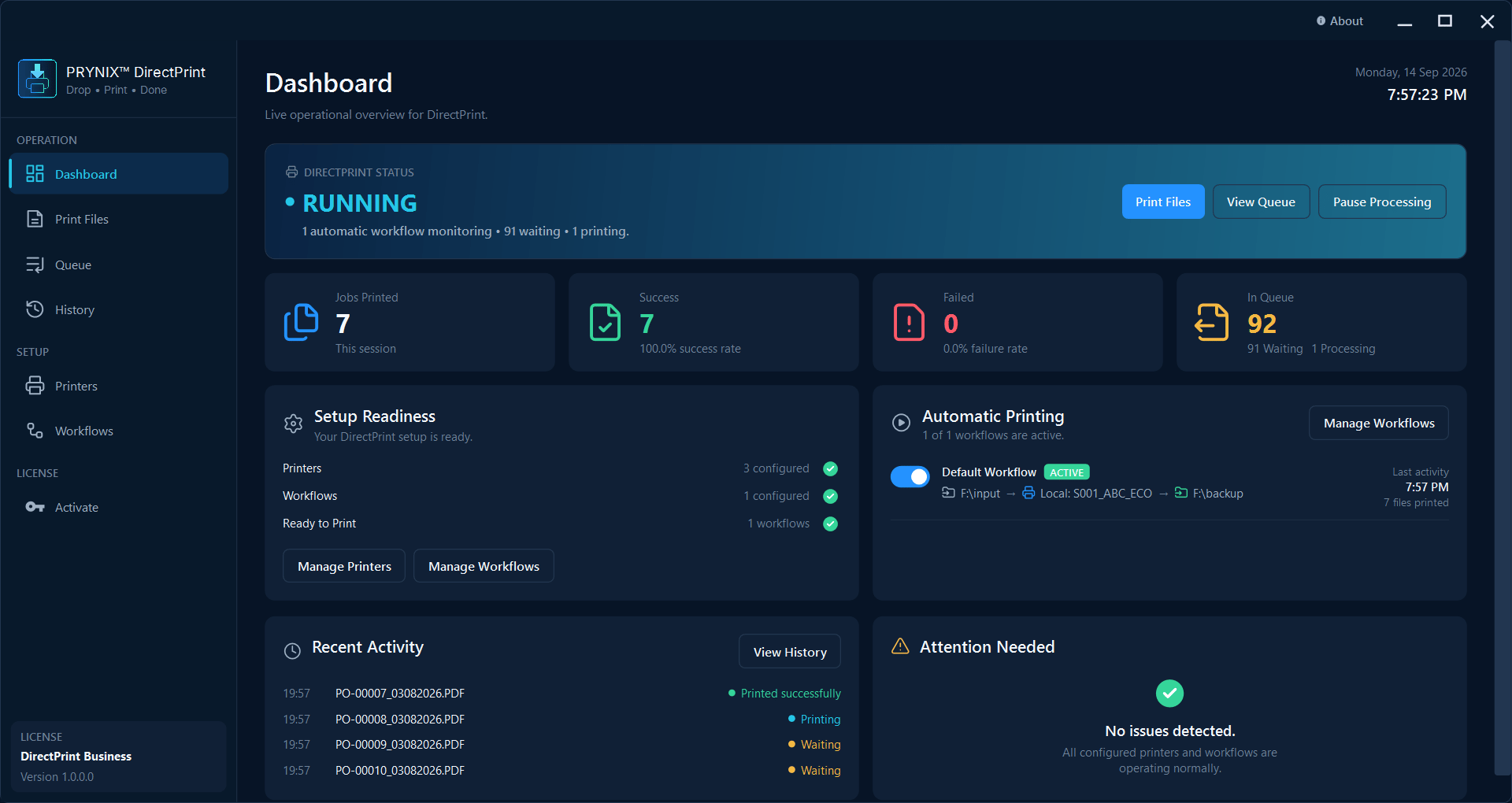
A complete control room
The updated workspace makes setup, sending, queue control, and job verification feel like one uninterrupted flow.
01 · Connect
Add, test, and manage local or network destinations before they become part of an automated route.
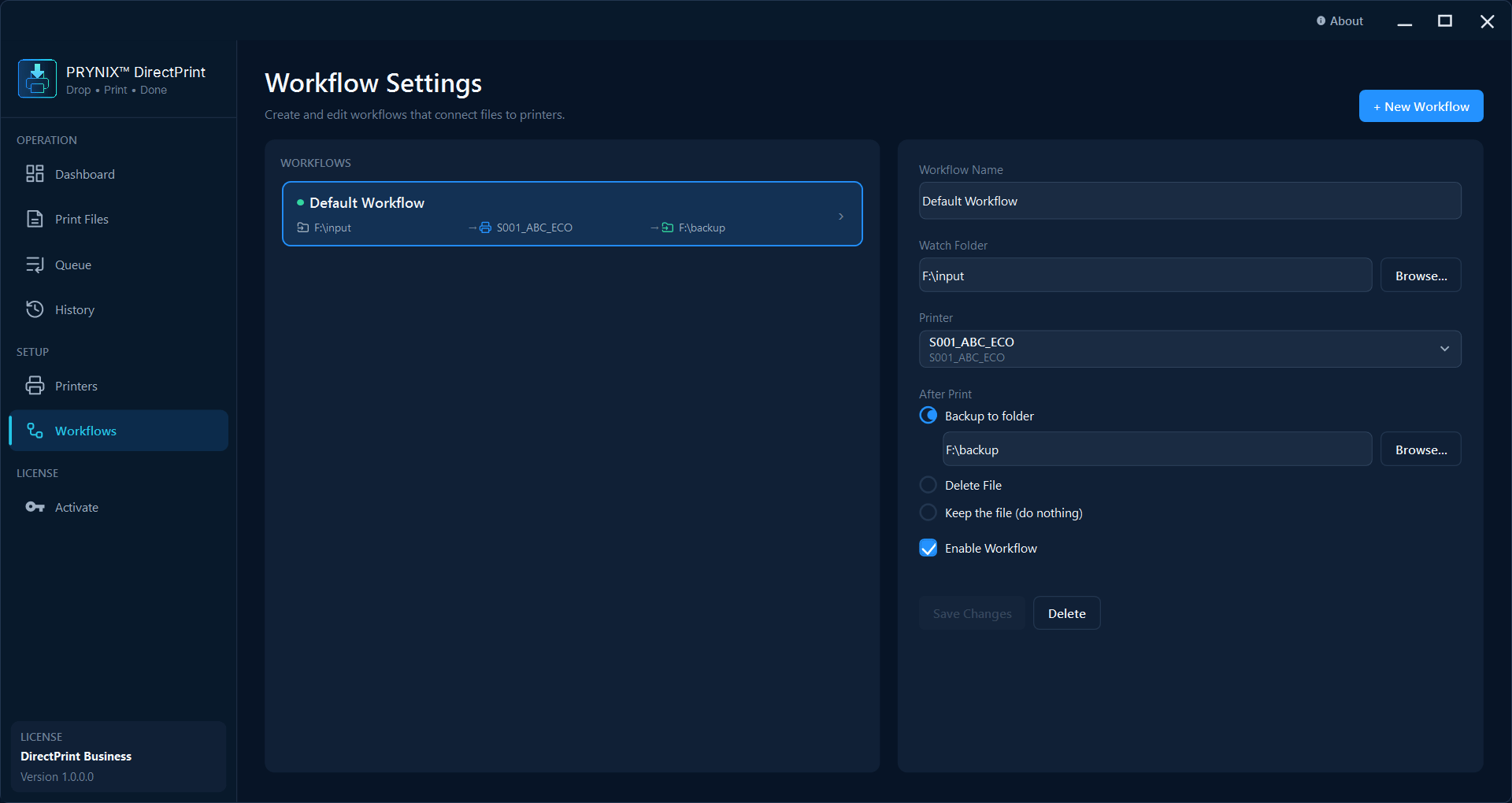
02 · Configure
Define a workflow with its input, destination, and after-print behavior.
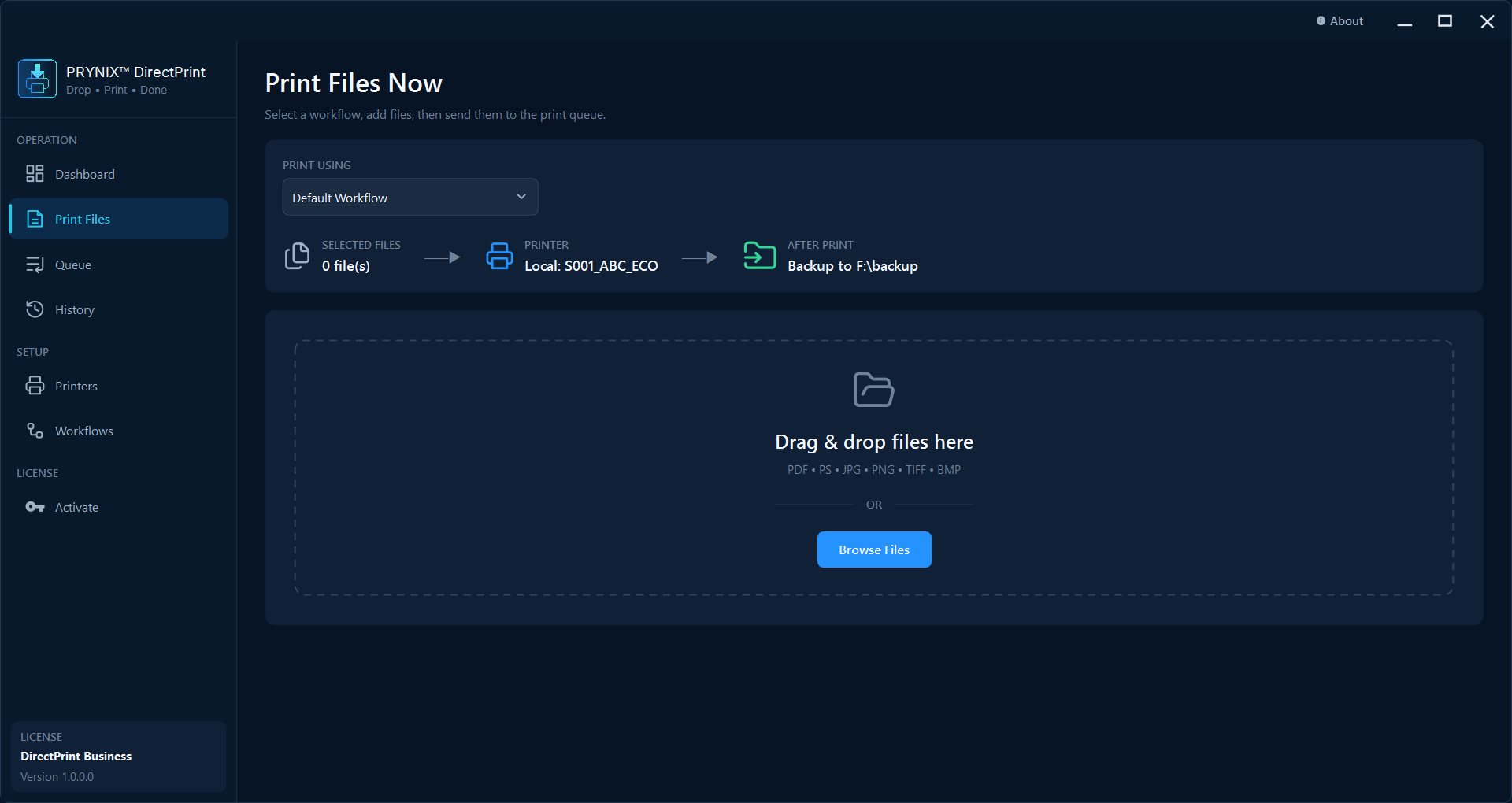
03 · Send
Choose a workflow, drop in files, and send a job to the queue without opening a print dialog.
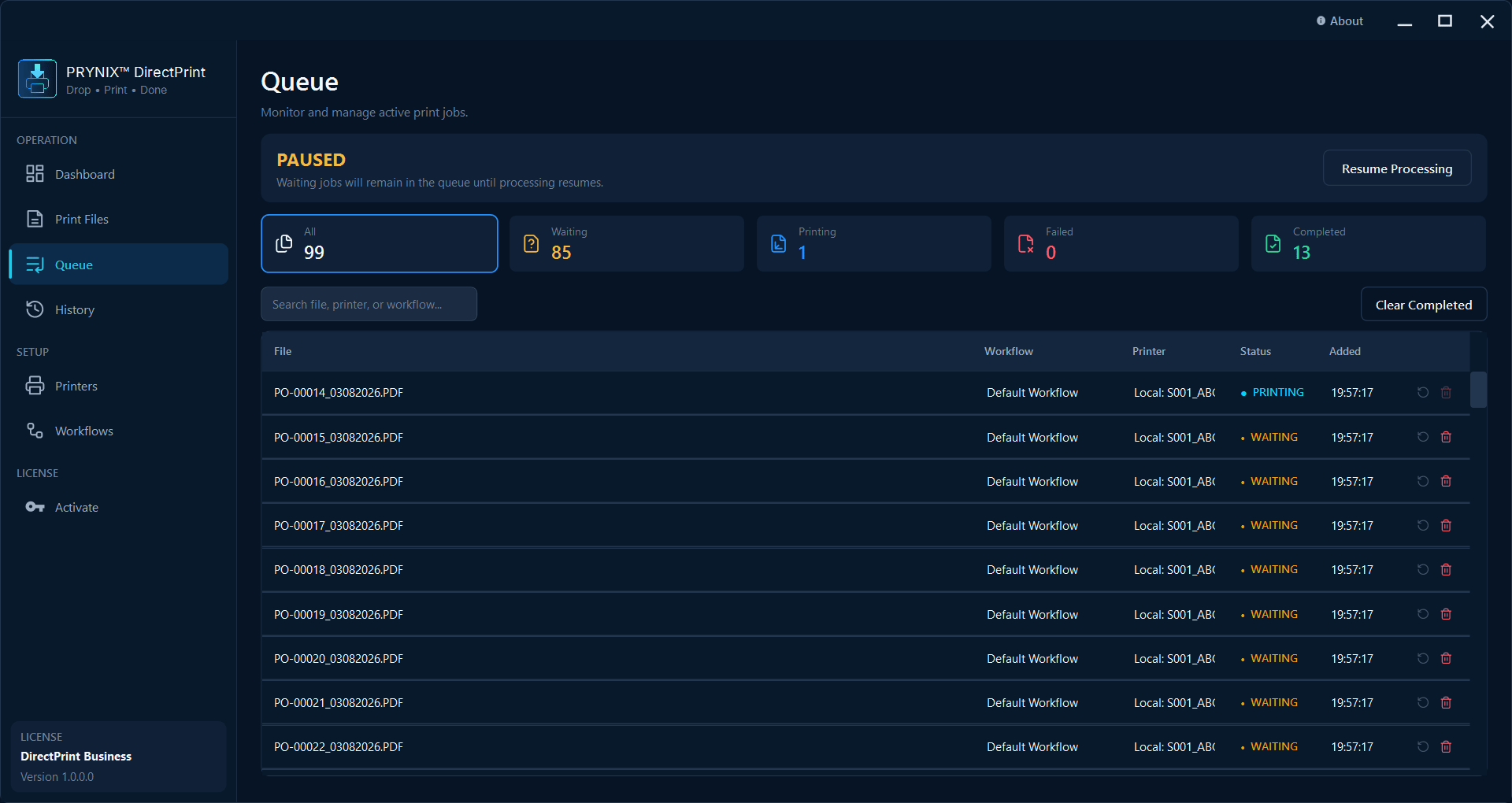
04 · Control
See every pending job in one queue and resume processing or clear completed work with confidence.
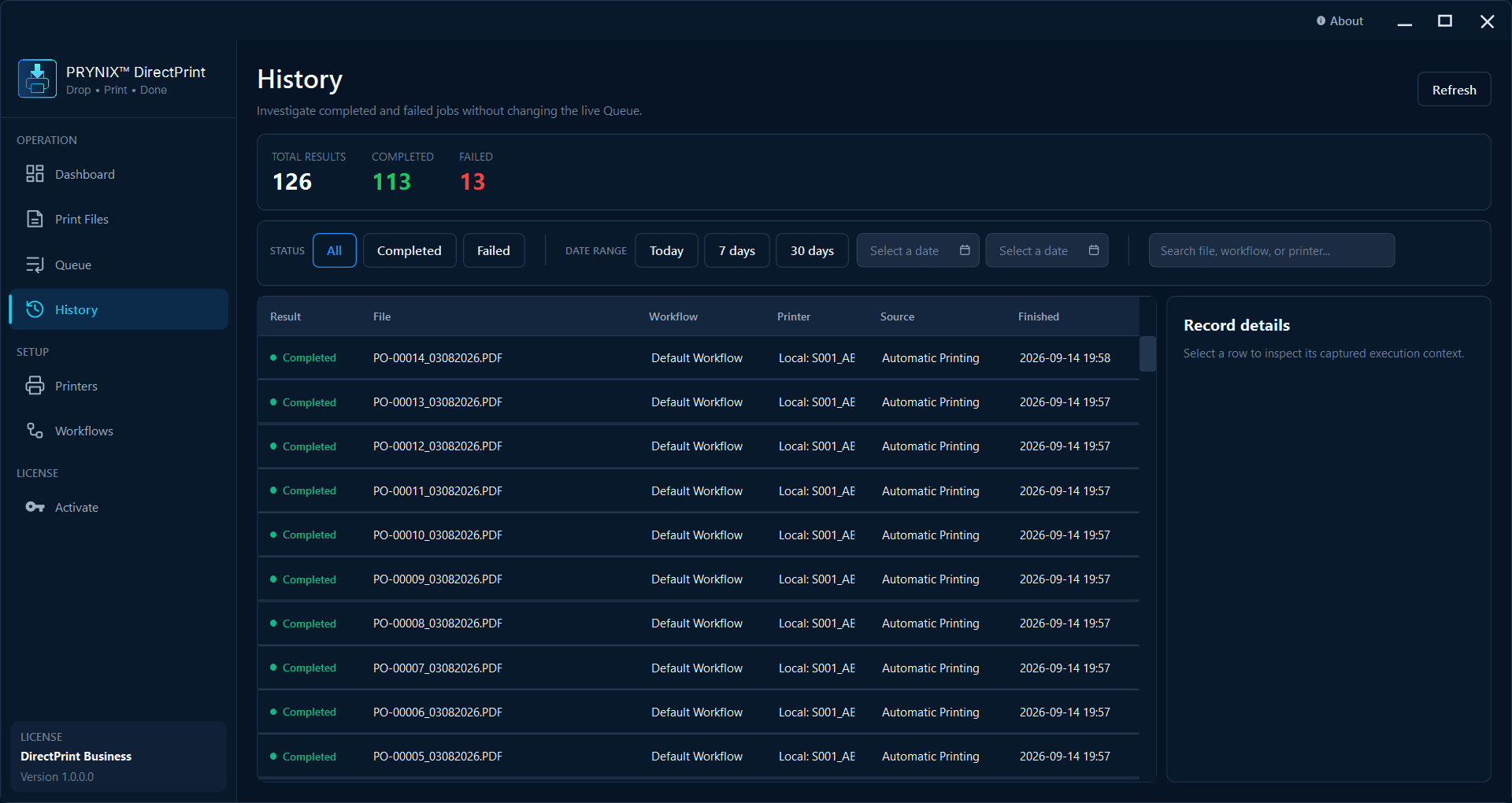
05 · Verify
Search completed and failed jobs by file, workflow, printer, or date when you need an audit trail.
Built for operations
DirectPrint keeps high-volume and recurring print work visible, controllable, and moving.
Watch a selected folder and automatically queue new documents as they arrive.
Send jobs directly to supported network printers by IP via RAW or LPR, without IT installing a printer driver.
See Waiting, Printing, Completed, and Failed jobs; print now or retry without re-dropping a file.
Search completed and failed jobs by date or text, including failure details for follow-up.
Pricing
One-time license. Start with a focused hot-folder workflow or scale into rules and multiple destinations.
One-time license
A focused, dependable automated print workflow for one PC.
One-time license
Flexible print automation for teams with multiple incoming routes and destinations.
Drop your files, direct the output, and leave the repetitive print work to DirectPrint.
* Driverless printing applies to network printers that accept RAW or LPR jobs.
View DirectPrint pricing